Your showdown scene is primed. You hit “generate,” and the chatbot freezes: “prompt violates policy.” We created this guide to spotlight AI writing tools for fiction that keep your voice unrestricted. We stress-tested ten platforms for creative freedom, prose quality, long-form memory, workflow extras, and overall value.
How We Tested
We put 10 leading AI writing tools through a three-part, week-long benchmark scored against five weighted pillars of performance.
- Single-scene stress test. We fed each tool the same knife-edge duel scene (romantic tension included) and noted any filter flags, truncation, or policy refusals.
- Voice-match challenge. We supplied a full-chapter outline plus a 500-word style sample from one of our editors to gauge how faithfully each model could mirror tone and manage long-form context.
- 5,000-word sprint. Over seven days we drafted at least 5 k words per platform while timing crashes, lag, and learning-curve friction, because a brilliant engine that stalls your workflow still ranks poorly.
The resulting scores feed directly into the creative freedom, prose quality, memory, workflow, and value ratings you’ll see in the tool reviews that follow.
Scoring Pillars
Each platform could earn up to 100 points across five weighted criteria:
- Creative freedom (35) – How often did filters block or soften our prompts?
- Prose quality (25) – Did responses read like publish-ready fiction in our voice?
- Long-form memory (20) – Could the AI keep multi-chapter details straight?
- Workflow extras (10) – Outlining aids, lorebooks, or other time-savers.
- Value (10) – Monthly cost measured against speed, limits, and model choice.
Platforms scoring 70 or higher made the cut; everything else either censored key beats, forgot core plot points, or charged champagne prices for tap-water output.
1. DreamGen: Complete Creative Freedom
DreamGen opens on a blank, flexible canvas, free of pop-ups or “content flag” banners, so you can start drafting right away. The independently run platform, with no external funding, reports more than 1 million registered users and 5,000 plus Discord members.
In testing, the tool handled our steamy duel prompt without a single refusal across 7 000 tokens, earning a perfect creative-freedom score. Its own primer on AI story writing sets out which themes mainstream chatbots tend to block and why. Pro subscribers gain a 30 000-token context window (about a 100-page novella) powered by DreamGen’s proprietary GLM 4.7 and Lucid models, which keep multi-chapter lore intact.
The built-in Scenario Codex acts as a live style guide: pin character bios, magic rules, or ship schematics and the AI references them automatically. Role-play mode lets you switch between POVs or watch two AI characters banter, useful for dialogue-heavy scenes.
Pricing invites trial runs. The free tier includes about 2,000 role-play messages per month on Lucid Base (plus roughly 250 each day once monthly credits reset). The Pro tier offers unlimited first-party models, a 60 percent third-party discount, and a 20 percent credit-pack discount for high-volume authors.
Limitations are minor: the web app is still maturing, there is no dedicated mobile app (though the site adapts well to phones), and the public scenario library is family-friendly only, with other themes limited to private use. For writers who refuse to let filters muzzle their imagination, DreamGen tops the list.
2. Claude 3.5: Memory Like an Elephant, Voice Like a Friend
Claude’s standout feature is its 200,000-token context window, enough to ingest an entire paperback and still reply instantly. In our test we pasted five finished chapters, asked for chapter six, and Claude wove in foreshadowed clues, consistent mannerisms, and a tossed-off prophecy from page 12.
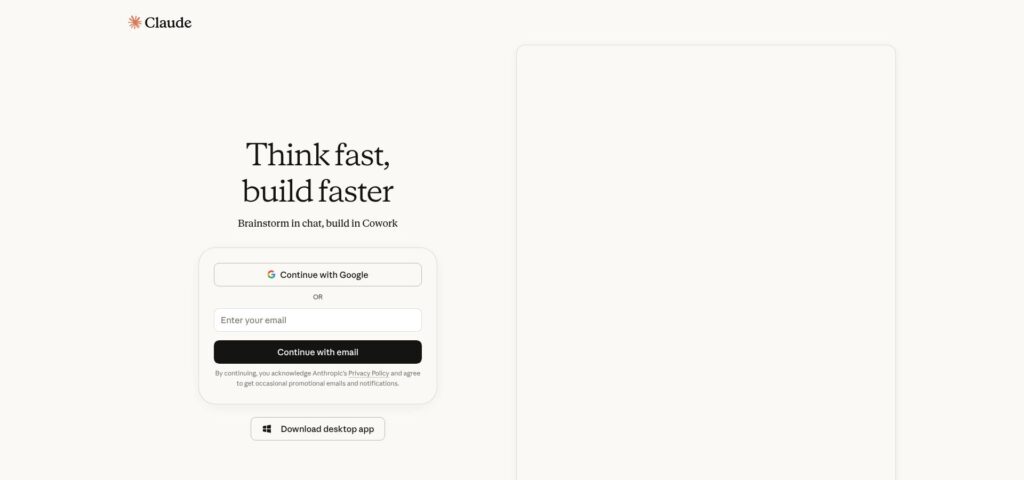
Claude 3.5 chat interface illustrating long-context fiction continuation
You can feed the model a 500-word style sample and request “continue in this style.” Cadence and vocabulary usually match on the first attempt. Filters are lighter than ChatGPT’s: Claude skipped explicit detail yet handled mature flirting and gritty combat without moral lectures, earning a creative-freedom score just below DreamGen.
Access is currently free through the web interface. Anthropic sets daily quotas (about 25–30 long prompts in our runs), and the plain chat box lacks novelist-specific tools, though third-party wrappers connect it to Scrivener or Obsidian.
If plot complexity, not censorship, is your main hurdle, Claude is the co-author that keeps every thread visible for you.
3. ChatGPT (GPT-4o): Brilliant Prose, Tempered by Guardrails
GPT-4o delivers some of the cleanest first-draft sentences you can get from an AI writing tool. Feed it two character sketches and a single scene goal, and you’ll receive crisp dialogue and sensory detail in seconds. That polish keeps thousands of writers loyal, yet the safety filters may pause progress if a prompt turns graphic or explicitly intimate because OpenAI policy blocks extreme violence or sexual content.
Within those limits GPT-4o stays a stylistic workhorse. We pasted a 500-word noir excerpt and asked for a continuation; it matched clipped metaphors and hard-boiled slang with near-perfect rhythm. Its broad knowledge also makes it a quick research aide; think 1890s street-lamp wattage or broadsword maintenance without leaving the chat.
Memory: the default 128 000-token context in chat gpt Plus can hold an entire novella, so you can keep long arcs intact without constant summaries.
Pricing: GPT-4o mini is free, while GPT-4o costs $20 per month on Plus. Many authors keep a Plus subscription even when drafting elsewhere because it excels at fact-checks and line-level rewrites.
4. Rolling Your Own Local Model: Total Control, Some Assembly Required
Running an open-source AI writing tool on your own hardware gives you an assistant that never times out, never phones home, and never censors a prompt.
Setup is simple if you’re tech-comfortable: install a front end such as KoboldAI or Text-Gen WebUI, download a checkpoint (for example Llama 3 70B or MythoMax 13B), and launch it on a GPU with at least 12 GB VRAM or a rented cloud instance. In about 10 minutes we had a private chatbot ready to tackle any scene.
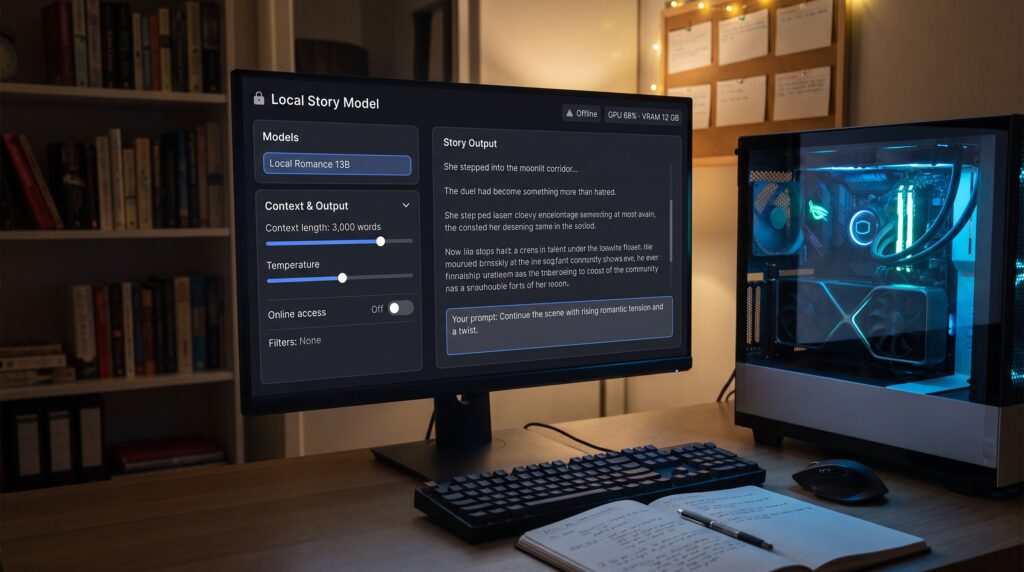
In our test, a 13-billion-parameter romance model running on an RTX 4070 laptop generated prose at about 20 tokens per second, retained context for roughly 3 000 words, and never flagged mature content. Larger models improved coherence but required workstation GPUs or paid cloud hours.
Upside: unlimited generations once hardware costs are covered, plus the freedom to fine-tune on your own chapters for a near-perfect voice match.
Downside: you maintain updates, troubleshoot VRAM errors, and work around reasoning that still lags behind GPT-4o.
Local AI remains niche, yet for explicit romance, splatter horror, or confidentiality, nothing beats total control. Set aside a weekend, follow a video tutorial, and let your GPU stretch its legs, but budget for the power bill.
5. Google Gemini: Research Ace, Reluctant Novelist
Gemini works best as a real-time AI writing tool for research: the engine pulls live web data and cites sources inside each reply.
That freshness brings limits. Although the Advanced tier offers up to 2 million tokens of context, the free version sometimes loses the thread in multi-chapter projects; in our test Gemini confused a sidekick’s name halfway through a four-scene run. Filters stay firm, so explicit romance or graphic combat often triggers a gentle refusal, similar to ChatGPT’s strictest mode.
Where Gemini shines in workflow is Google Docs. Highlight text, tap Help me write, and it suggests crisper phrasing or adds sensory color without copy-paste.
Cost: the base version is free with unlimited queries. Keep Gemini open for fact-checks and line edits, and shift to less-restricted tools for chapters that venture beyond PG-13.
6. Jasper AI: Marketing Muscle, Fiction Curious
The Jasper AI writing tool’s dashboard reveals its ad-copy roots; headline and product-description templates dominate, yet a tucked-away Story mode lets you draft scenes in seconds.
Like ChatGPT, Jasper runs on GPT-4o but adds a clean editor and an optional brand voice feature: paste a chapter and the model continues with faithful rhythm, diction, and matching profanity.
Limits surface in longer work. The roughly 8 000-token context window means you will add summaries every other chapter, and OpenAI filters block explicit romance. Pricing favors marketers over novelists: $39 per month for Creator and $59 per month for Pro.
Think of Jasper as a precision scalpel for blurbs, ad copy, or tightening dialogue. For full-length drafting, lower-cost, less-restricted tools shoulder the heavy prose.
7. Writesonic: Fast Templates, Thin Story Memory
The Writesonic AI writing tool stands out for speed and variety: you get more than 100 templates plus a Story Writer canvas powered by GPT-4o or its lighter Sonic model.
Generation is rapid, producing a 1 000-word scene in seconds, and tone sliders (friendly, dramatic, witty) adjust voice on the fly. That pace serves marketers, but for fiction the drafts feel thin; outline beats turn into on-the-nose exposition and side characters speak in near-identical voices.
Memory limits: Sonic holds about 2 500 words before drifting. GPT-4o mode reaches roughly 8 000 tokens, yet anything older drops out, so novelists must re-prompt long projects.
Filters: Writesonic follows OpenAI rules. Steamy romance stops mid-paragraph, and gore softens to PG-13 unless pushed.
Pricing: at $99 per month for the Starter tier, it is a high entry for paid GPT-4o output, and strict article caps shrink that benefit. If you juggle ad copy and fiction, one login is handy; pure storytellers will likely outgrow the short memory and firm guardrails.
8. Plottr + Your Chosen Model: Blueprint First, Draft Later
Plottr is not a story generator; it is a visual planning tool that helps you lock structure before words hit the page.
Open the app to timelines, color-coded character arcs, and draggable beat cards. Tap the AI Assist button and ask, “What obstacle raises the stakes here?” Plottr calls whichever model key you provide (GPT-4o, Claude, or a local model) and returns beat ideas plus an optional prose snippet.
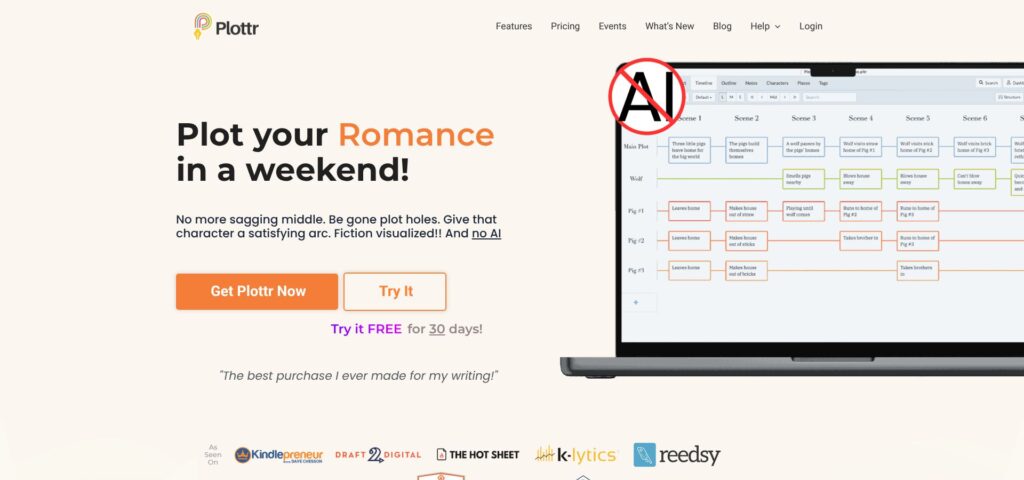
Plottr visual story timeline with color-coded character arcs
Because drafting happens elsewhere, outline gaps appear early; in our tests that trimmed revision time. Plottr applies no filters of its own, so the model you connect controls what content is allowed. Pairing it with a local unrestricted LLM gives you full creative freedom.
Pricing stays friendly. A 30-day free trial lets you experiment, and the $39 per year plan covers one device. Owners of Plottr get the AI extension at no additional software cost; you pay only for API usage.
Treat Plottr as a writer’s war room. It will not craft lyrical sentences, but it prevents plot knots before they tighten.
9. RaptorWrite: Author Built, Wallet Friendly
RaptorWrite is a free web-based AI writing tool from the Future Fiction Academy that lets you plug in any back end, from an OpenAI API key to an OpenRouter connection, without entering a credit card for the software itself.
The minimalist interface hides useful extras such as multi-document views, context control, and custom system prompts. The trade-off is that quality depends on the model you select, and you must manage your own API spending and context limits.
Development moves quickly. Recent updates added cloud saves and model collections, keeping pace with or outpacing bigger, funded rivals. You remain responsible for your API keys, so watch usage and keep local backups.
For students, hobbyists, or privacy-minded writers who want to experiment with AI drafting at zero software cost, RaptorWrite offers a low-risk sandbox, provided you bring careful oversight.
10. GrammarlyGO and ProWritingAid AI: The Polishing Crew
Draft finished? These two AI writing tools catch clunky adverbs, pacing slips, and hidden tense shifts so you send cleaner prose to readers.
GrammarlyGO lives inside the familiar green-underline interface. Highlight a sentence, ask “Tighten this but keep the noir vibe,” and the AI offers a lean rewrite you can accept line by line. Because Grammarly already flags filler words and comma glitches, the extra layer feels seamless.
ProWritingAid AI digs deeper into style. A Sensory Report spots pages heavy on sight yet light on smell or touch, while the Emotion Amplifier rewrites paragraphs with more dread, tenderness, or awe while keeping your phrasing intact.
ProWritingAid and Grammarly-style editing interface for polishing fiction
Neither tool crafts plot or dialogue, and both apply mild, industry-standard filters. That is fine; editors refine rather than create. Treat them as tireless line-edit partners.
Pricing: Grammarly Premium with AI costs $30 per month. A ProWritingAid annual license averages about $8 per month. For self-publishers, that beats the price of a single professional copy edit and it is available around the clock.
Run each chapter through, accept rhythm fixes, reject suggestions that dull your voice, and deliver a manuscript that sounds like you, only sharper.
FAQs: Your Top AI Writing Questions, Answered
Will using an AI writing tool make my novel sound generic?
Only if you let it. Treat drafts as clay, not marble: feed the model samples of your voice, trim clichés, and layer in personal imagery during revision. Tools such as Sudowrite’s Voice Analyzer or DreamGen’s Scenario Codex help preserve your cadence.
Who owns the words an AI generates?
As of June 2026, every platform in this roundup grants users full commercial rights to generated text. Review each site’s terms before publishing, but none claim copyright over your prose.
Can publishers detect AI text and reject my manuscript?
No dependable detector exists. Current tools highlight stylistic patterns, not definitive fingerprints, and thorough human editing blurs any signal. Agents focus on story quality, not drafting method.
Which tool handles explicit romance or hard-horror scenes best?
NovelAI, DreamGen, or a self-hosted model impose minimal filters. Mainstream chatbots such as ChatGPT or Gemini stop at roughly PG-13.
Do I need more than one tool?
Most authors juggle two or three: one for free-flow drafting (DreamGen or Claude), another for fact checks (ChatGPT or Gemini), and an editor bot (GrammarlyGO) for polish.
What hardware do local models need?
A modern GPU with at least 12 GB VRAM runs a 13-billion-parameter model comfortably. Seventy-billion checkpoints need about 48 GB or a cloud rental. If that feels daunting, cloud tools are simpler.
Conclusion
Ten tools, and no single winner for every writer. If content filters are what keep stopping you mid-scene, DreamGen and a self-hosted model were the two that never flinched in our stress test. If your problem is holding a long plot together rather than getting past a content warning, Claude’s 200,000-token window kept five chapters of foreshadowing straight where shorter-memory tools lost the thread by chapter three.
If you mostly need polish, GrammarlyGO and ProWritingAid cost a fraction of a professional copy edit and work at three in the morning. And if structure is the thing that defeats you, plan in Plottr or a similar timeline tool before you draft a word.
Most working authors run two or three in combination rather than hunting for one perfect engine. Sample a few free tiers tonight, and hand each one the messiest scene you have — the one you have already rewritten four times. What comes back will tell you more than any feature list.